
Light, dark or automatic appearance
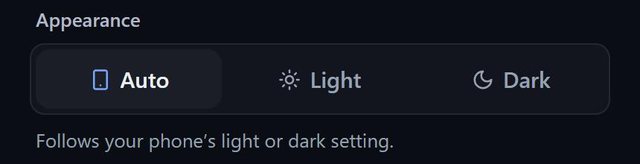
SeatSpot offers a three-way Appearance switch in Settings: Auto, which follows your phone including the automatic switch at sunset, Light, or Dark.
- Where in the app
- Settings, Appearance
- Plan
- Free plan
- Account
- None needed
- Updated
How it works
- Tap the gear at the top of the home screen.
- Under Appearance choose Auto, Light or Dark.
- The change applies immediately and is remembered on the device.
- Your floor and table colours stay as you picked them.
Good to know
- Light is white with blue accents. Dark is charcoal with blue accents.
- The colours you choose for the floor plan and tables are the same in both themes, because they were chosen to tell each other apart.
- The card preview is shown on white paper whatever the theme.
- Appearance is part of the free plan.
Common questions
Is dark mode the default?
No. The default is Auto, which follows your phone.
Does the theme change exports?
No. Exports and printed cards look the same in either theme.
Does the floor plan colour change in dark mode?
No. Your floor and table colours stay as you set them.