
One-file backup and moving to a new phone
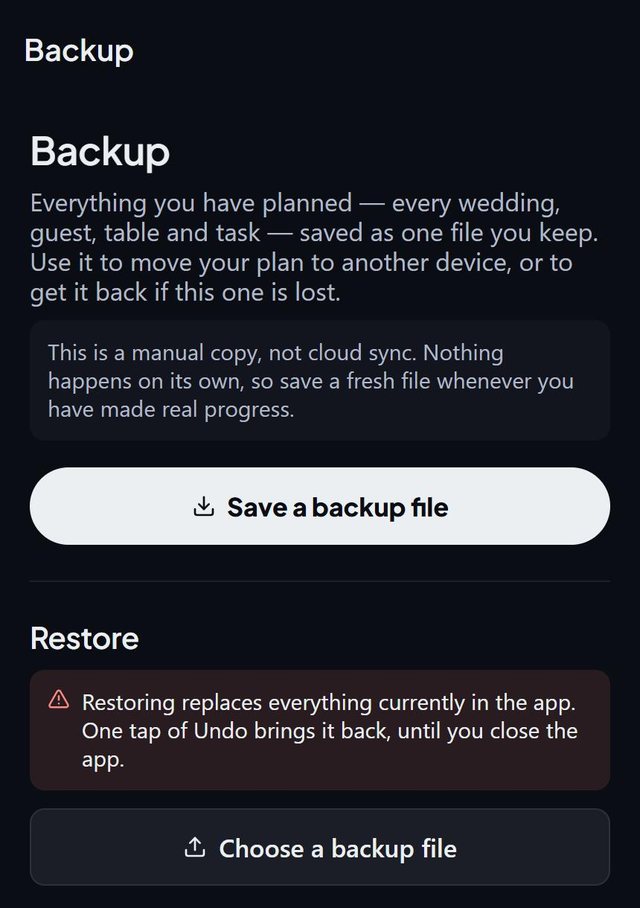
SeatSpot keeps your plan on your phone only, with no account and no cloud copy. A backup is one file holding all your events, guests, tables, seating, tasks and meal questions, and it is also how you move to a new phone.
- Plan
- Free plan
- Account
- None needed
- Updated
How it works
- Open the backup screen and save a backup file. It is named with the date.
- Keep it somewhere that is not the phone, such as email or a cloud drive.
- On a new phone, install SeatSpot and restore from the file.
- Check the plan. Restoring replaces everything in the app.
Good to know
- Nobody, including us, can recover a plan that is lost with the phone, which is why the backup exists.
- The app saves automatic restore points, the last three, before big actions such as imports, bulk deletes and deleting an event.
- In the two weeks before an event, a reminder appears if you have not backed up in the past week.
- Old backups are brought up to date as they load.
- If saving ever fails, a red banner lets you save a backup file so the work is kept.
- An event pass moves with the backup, together with its event. Backup is part of the free plan.
Common questions
Is my guest list stored in the cloud?
No. It lives on your phone only.
How do I move to a new phone?
Make a backup, move the file to the new phone, install SeatSpot and restore.
What does restoring do to my current plan?
It replaces everything. The file is checked first, it is all or nothing, and you can undo straight afterwards.