
Dance floor, bar, stage and entrance on your plan
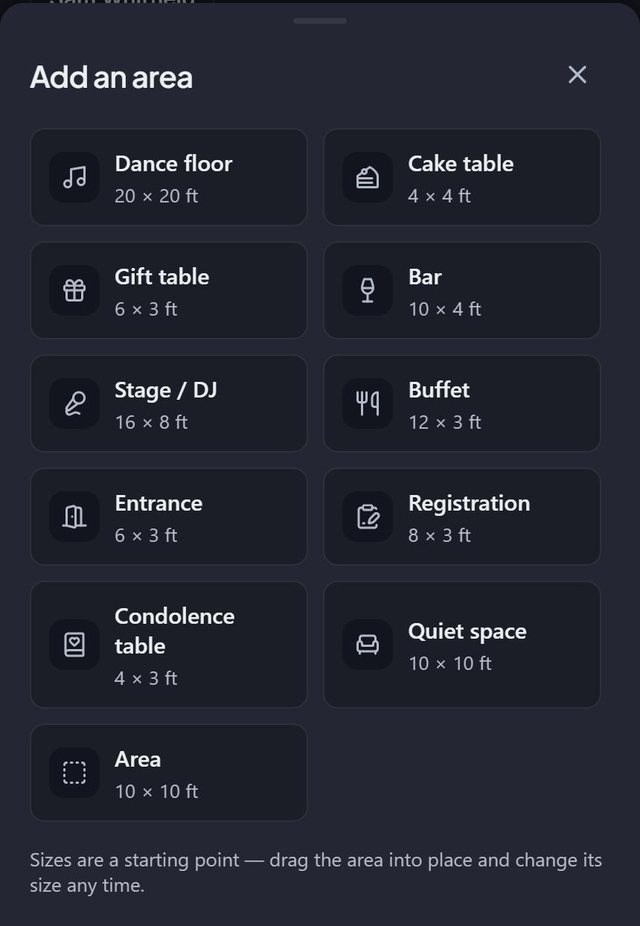
An area in SeatSpot takes up real space on the floor plan: a dance floor, bar, stage, buffet, cake table, gift table, entrance or a plain area. Tables around them read like a real seating plan, and the areas print with it.
- Where in the app
- Tables tab, Area
- Plan
- Free plan
- Account
- None needed
- Updated
How it works
- Tap Area in the toolbar and pick what you are adding.
- It appears in the middle of the room. Drag it into place.
- Tap it to rename it, pick a colour or change its width and depth.
- Check Plan check for tables standing on an area.
Good to know
- The kinds you need most for your event come first. A wedding leads with dance floor, cake table, gift table and bar, a company event with stage, registration, buffet and entrance, and a wake with a quiet space and a condolence table. Nothing is hidden.
- Areas feed seating rules: accessible guests and guests with infants go near the Entrance and away from the Dance floor, and speakers near the Stage.
- Areas appear on the floor plan PDF and image export.
- An area cannot be dragged or stretched outside the room.
- Areas do not count toward the free plan's table limit.
- The entrance area is also what the QR guest page shows as the door.
Common questions
What is the difference between an area and a label?
A label is text at a point. An area takes up space, can be coloured and resized, prints and is checked by Plan check.
Do areas affect seating?
Yes, through guest tags. Smart fill uses your Entrance, Dance floor and Stage areas to place accessible guests, guests with infants and speakers.
Can I put a stage in a wedding?
Yes. Every area is available at every event. The event type only changes the order of the list.