
Guest tags: VIP, accessible, speaker and more
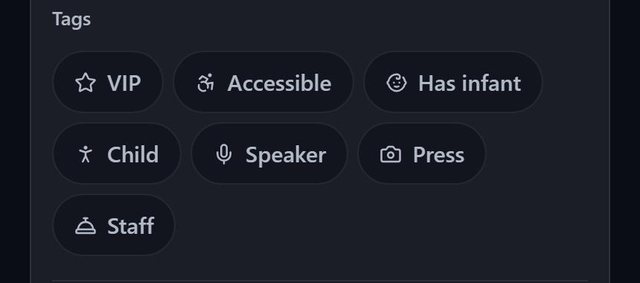
SeatSpot has seven guest tags: VIP, Accessible, Has infant, Child, Speaker, Press and Staff. Three of them change seating: accessible guests and guests with infants are placed near the entrance, and speakers near the stage.
- Where in the app
- Guest screen, Tags
- Plan
- Free plan
- Account
- None needed
- Updated
How it works
- Open a guest and tick their tags.
- Draw an Entrance, a Dance floor and a Stage on the floor plan, because the rules compare tables with those areas.
- Run Smart fill, or seat by hand. The seat picker notes suitable tables on a guest's row.
- Tap a tag filter on the floor plan to ring every guest with it, for example every child.
Good to know
- Without those areas drawn, the rules produce no suggestions and no warnings.
- SeatSpot never claims to check accessibility. It does not know about door widths, aisles or lifts. It is an organising hint, not an audit.
- Nothing is forced. A do-not-seat-with always wins, and you can seat anyone anywhere by hand.
- VIP, Child, Press and Staff carry no seating rule.
- Tags print on the seating-by-table sheet and the alphabetical guest list, and never on escort cards or the welcome board, which guests read.
- The order of the tags changes with the event type. Every tag is always available.
Common questions
Does the Accessible tag mean the table is accessible?
No. It means the guest needs a short way out that a crowd cannot block. SeatSpot prefers a table near the entrance, but it does not know your venue's access.
Do tags appear on place cards?
No. Tags never print on escort cards or the welcome board.
Who counts as a speaker for the stage rule?
Anyone you tag Speaker, at any event. The father of the bride with a toast counts as much as a conference speaker.