
Keep guests apart: do-not-seat-with rules
A do-not-seat-with rule tells SeatSpot that two guests should not share a table. The app flags any table where they meet, warns you before you create the conflict and keeps Smart fill away from it.
- Where in the app
- Guest screen, Seating section
- Plan
- Free plan
- Account
- None needed
- Updated
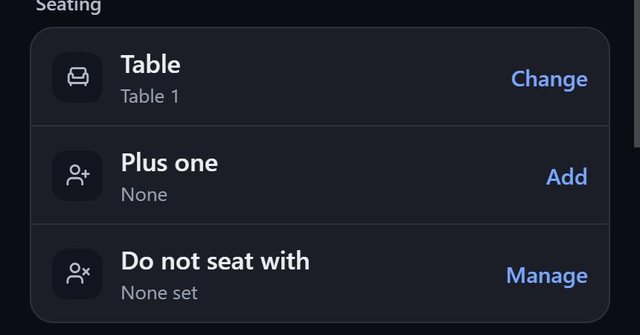
How it works
- Open a guest and, under Seating, add the people they should not sit with.
- Enter the pair from either side. The rule is stored on both guests automatically.
- Seat guests as usual. A table with a conflict is flagged on the floor plan.
- Dropping a guest onto a table that would break a rule asks first. Seating a group does the same.
Good to know
- In the seat picker a conflict moves a guest to the bottom of the list and names the person. Nobody is hidden, so you can still seat them with one tap.
- A do-not-seat-with always wins over guest tags in Smart fill.
- Deleting a guest removes them from everyone's list.
- Plan check lists seated conflicts under things to fix, even months before the date.
Common questions
Can the app stop me from seating two guests together?
It warns and flags but never forces. You may know something the app does not, so seating them together is one tap away.
Does Smart fill respect the rule?
Yes, wherever a table without a conflict has room. If none does, it seats them anyway and tells you how many conflicts remain.
Is the rule one-way?
No. It is stored on both guests, so it does not matter which one you entered it from.