
Escort cards with a QR code
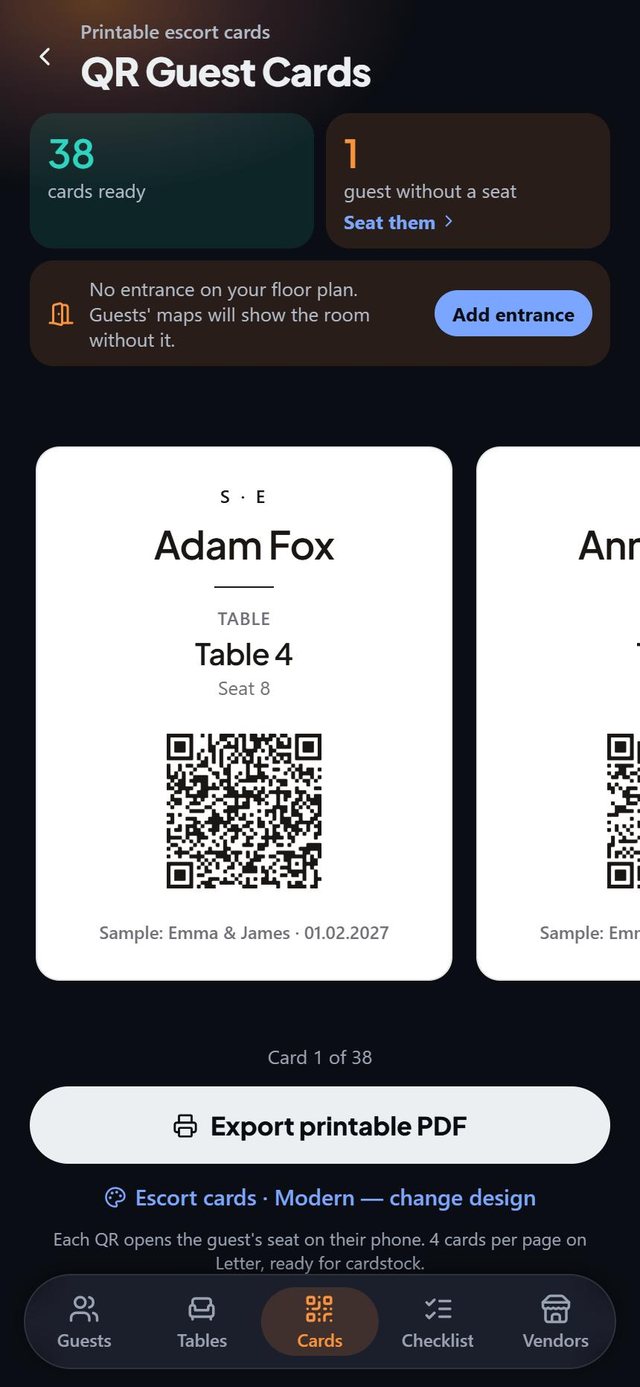
SeatSpot prints escort cards, four to a Letter page, with each guest's name, table and seat in ink and an optional QR code. Scanning the code opens a small page with the same name, table and seat plus a map of the room.
- Where in the app
- Cards tab
- Plan
- Pro or event pass
- Account
- None needed
- Updated
How it works
- Seat your guests. A card exists only for a guest who has a seat, and the Cards tab shows how many are ready.
- Open Cards and swipe through the previews, or tap change design to pick a style and ink.
- Check that your floor plan has an Entrance area. If not, tap Add entrance and drag it to your real door.
- Print the pages on Letter paper and cut the cards out.
Good to know
- The card always works on its own: table and seat are printed in ink, so it works with no signal and no phone.
- The QR page shows the guest's name, table and seat, and a small map with their table in gold, their chair as a pulsing dot and the entrance.
- Everything the page shows travels inside the scanned link, so nothing is uploaded and no account is involved.
- A guest who scans someone else's card sees only that one person's seat.
- A card printed before you move someone shows the old seat, so reprint that guest's card.
- Escort cards are part of Pro and the event pass.
Common questions
Do guests need to scan the QR code?
No. Name, table and seat are printed on every card, so the code is only a convenience.
What does the QR code know about my guests?
Only what is printed on that one card. It carries no link to your guest list.
What if I change someone's seat after printing?
The old card shows the old table. Reprint that guest's card.