
Place card and escort card designs
In SeatSpot you pick one card design and the whole printed set follows it. Choose escort cards or fold-over place cards, one of four styles and one of six inks, and the welcome board and table signs match.
- Where in the app
- Cards tab, Change design
- Plan
- Pro or event pass
- Account
- None needed
- Updated
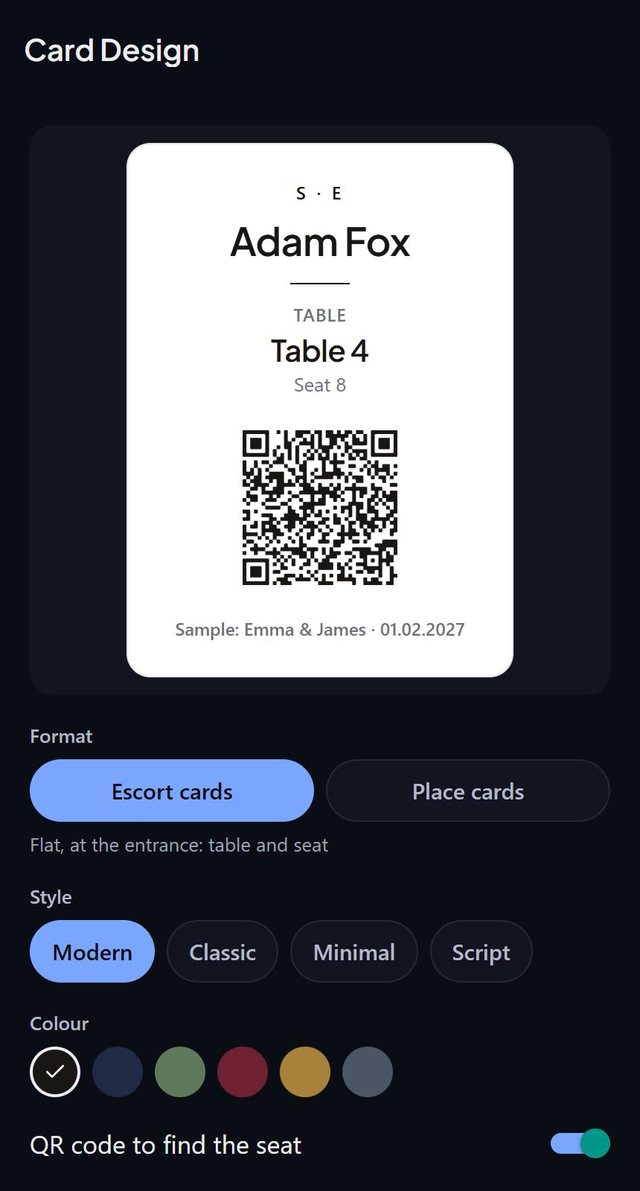
How it works
- Open the Cards tab and tap change design under the preview.
- Pick the format: Escort cards, four to a Letter page, or Place cards, six to a page, folded in half.
- Pick a style (Modern, Classic, Minimal or Script) and an ink (black, navy, sage, burgundy, gold or graphite).
- For escort cards, switch the QR code on or off. For place cards, optionally print each guest's main course under the name.
Good to know
- On place cards the name prints on both halves, the top one upside down, so it reads from both sides once folded along the dashed line.
- Choices apply the moment you make them and are saved with the event, so a backup or another phone prints the same cards.
- The preview follows the design, on white paper whatever the app's theme.
- Before anyone is seated, the design screen shows an example guest.
- Tags never print on cards or the welcome board, because guests read them.
- Card printing is part of Pro and the event pass.
Common questions
What card styles are available?
Modern, Classic (serif), Minimal (spaced capitals) and Script.
What is the difference between escort cards and place cards?
Escort cards lie flat at the entrance and tell guests their table and seat. Place cards fold and stand at the plate, with the name on both sides.
What paper do I need?
Letter pages in a home printer or at a print shop.