
Door list for the day of the event
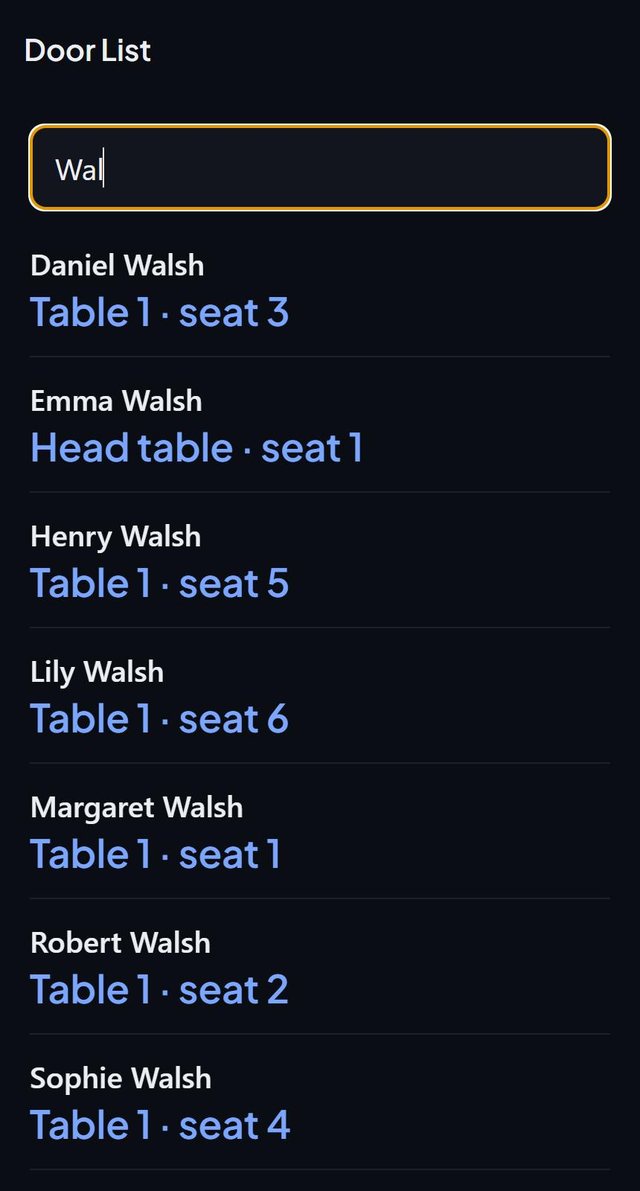
The Door list is a search screen for whoever stands at the entrance. Type part of a first or last name and every match shows in large letters with where they sit, such as Table 4 · seat 3.
- Where in the app
- Guests tab, Guest report, On the day, Door list
- Plan
- Free plan
- Account
- None needed
- Updated
How it works
- Open the Guest report and tap Door list under On the day.
- Type part of a first or last name.
- Read out the table and seat, or turn the phone toward the guest.
- Guests without a seat show No seat yet, and guests who declined show Not coming.
Good to know
- The screen stays on while it is open and needs no connection.
- It only looks people up. Nothing on it marks anyone as arrived.
- Held seats from a headcount are not listed.
- Search ignores accents.
- The door list is part of the free plan.
Common questions
Does the door list check guests in?
No. It only looks people up.
Will it work at a venue with no signal?
Yes. It needs no connection.
What does a guest without a seat see?
The match reads No seat yet, so nobody is walked to the wrong table.