
Track gifts as you open them
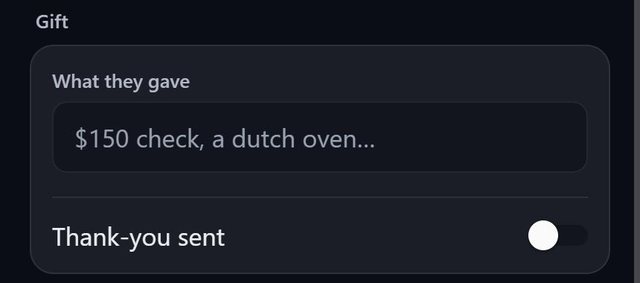
At the bottom of every guest's screen SeatSpot has a Gift section. Write what they gave, such as $150 check or Dutch oven, and switch on Thank-you sent when the note is out.
- Where in the app
- Guest screen, Gift
- Plan
- Free plan
- Account
- None needed
- Updated
How it works
- Open the guest and type what they gave in Gift.
- When the thank-you note is sent, switch on Thank-you sent. Today's date is stamped.
- Switch it off to clear the date.
- A gift from a whole family goes on one member of it.
Good to know
- The CSV export has Gift and Thank-you sent columns, and the importer reads them back.
- A reminder the day after your event suggests writing down gifts while you remember them.
- The Thank-you notes list shows how many notes are owed.
- Gift tracking is part of the free plan.
Common questions
Can I note gifts for a whole family?
Yes. Put the gift on one member of the family.
Is the thank-you date saved?
Yes. Switching on Thank-you sent stamps today's date.
Does SeatSpot remind me to write gifts down?
Yes, the day after the event, if planning reminders are on.