
Task and planning reminders
SeatSpot sends local reminders: one notification at 9 in the morning for each task with a deadline, plus up to four planning reminders worked out from your plan itself.
- Where in the app
- Settings, Notifications
- Plan
- Free plan
- Account
- None needed
- Updated
How it works
- Allow notifications when the app first asks, which happens when there is a dated task to remind you about.
- Give tasks deadlines, or load a template.
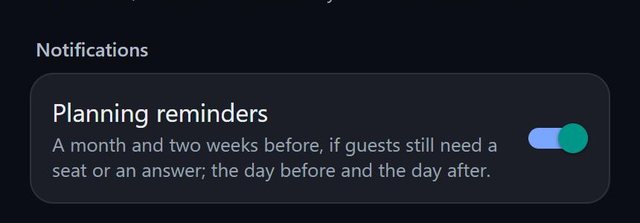
- Planning reminders arrive 30 days before (guests still needing a seat), 14 days before (RSVPs missing), the day before (print the seating chart and cards) and the day after (write down gifts).
- Turn planning reminders off under Settings, Notifications, Planning reminders. Task reminders are not affected.
Good to know
- A reminder with nothing to report is not sent.
- Reminders are local. Nothing is scheduled on a server and nothing leaves the phone.
- The notification names the task and the event, so tasks in two events are never confused.
- The app keeps the 60 soonest deadlines across all events, because the operating system limits pending notifications.
- On Android, task reminders have their own channel in system settings.
- The sample event never sends any.
Common questions
Why 9 in the morning?
A stored due date can fall at any time of day. A fixed 9 am avoids a ring at three in the morning for a deadline set late at night.
Are reminders sent from a server?
No. They are local to your phone.
Can I turn some of them off?
Yes. Planning reminders have their own switch, separate from task reminders.