
Thank-you notes after the event
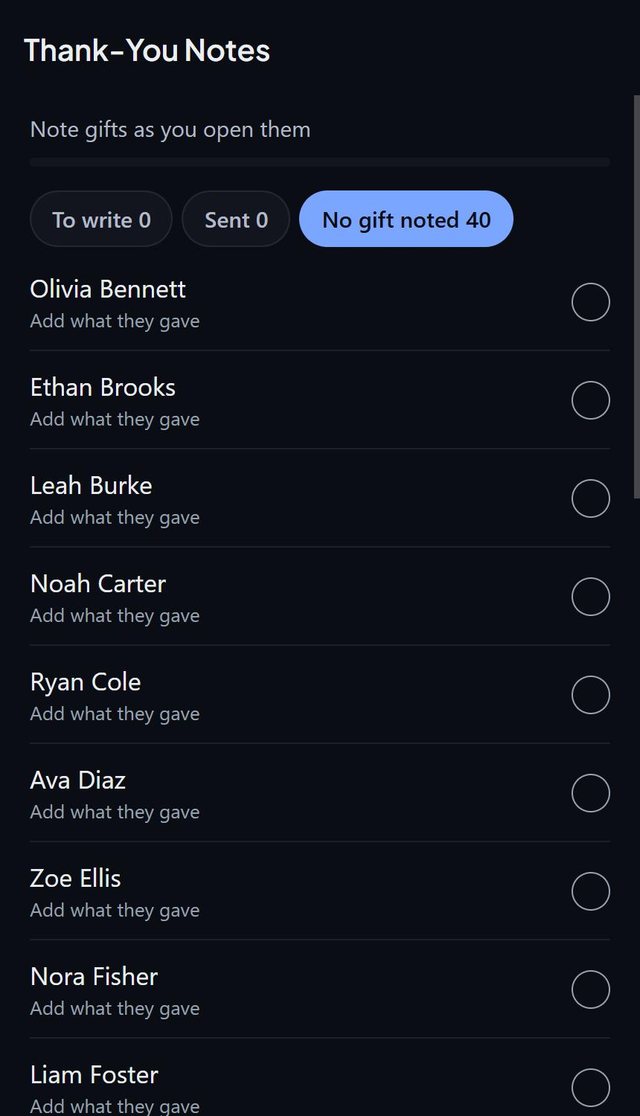
SeatSpot's Thank-you notes list shows how many notes are sent out of how many are owed, in three tabs: To write, Sent and No gift noted.
- Where in the app
- Guests tab, Guest report, After the event
- Plan
- Free plan
- Account
- None needed
- Updated
How it works
- Open the Guest report and tap Thank-you notes under After the event.
- Start in To write: guests with a gift noted and no note sent.
- Tap the circle to mark a note sent, or tap again to undo. Tap the name to open the guest.
- Use No gift noted to fill in gifts as you open them.
Good to know
- While nothing has been noted yet, the screen opens on No gift noted.
- Held seats from a headcount are left out, because there is nobody to thank yet.
- Gift and Thank-you sent are in the CSV export.
- The importer also accepts Yes in the thank-you column for a note sent on a day nobody wrote down.
- Thank-you notes are part of the free plan.
Common questions
What do the three tabs mean?
To write is a gift noted with no note sent. Sent is notes already out. No gift noted is everyone else.
Can I undo a sent note?
Yes. Tap the circle again.
Does it work for every event type?
Yes. It is available at any event.