
Start a seating plan from a headcount
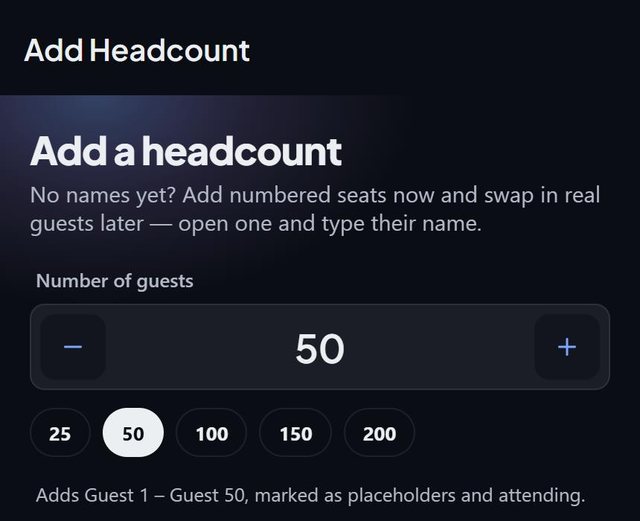
When you know how many guests are coming but not who, SeatSpot lets you add a headcount: numbered seats such as Guest 1 and Guest 2 that fill tables and work with Smart fill, ready to be replaced with real names.
- Where in the app
- Guests tab, Add a headcount
- Plan
- Free plan
- Account
- None needed
- Updated
How it works
- Open Add a headcount from an empty guest list, or from the bottom of the add-guest form.
- Set the number with the stepper, or tap 25, 50, 100, 150 or 200.
- Add them. Guests are numbered and marked as placeholders and attending.
- Build the room and seat them. When a name arrives, open the seat, type the name and switch off the placeholder switch.
Good to know
- A second headcount carries on the numbering, so Guest 51 follows Guest 50.
- Numbered seats get no guest card, are not on the welcome board and plan check does not ask what they will eat, until they have a name.
- Lists sort numbered seats by number, so Guest 2 comes before Guest 10.
- On the floor plan they show as G12 for Guest 12.
- The whole headcount can be undone from the undo bar.
- On the free plan a headcount counts toward the guest limit like any other guest.
Common questions
Do placeholders take up a seat?
Yes. They count in the plan and fill tables like named guests.
Can I mix named guests and a headcount?
Yes. You can also mark any single guest as Details not known yet.
Will numbered guests get cards?
No. They get no card until you give them a name.