
Keep families and groups together
A party in SeatSpot is a group who belong together: a family, a couple or colleagues from one office. Smart fill places whole parties at one table where it can, and plan check tells you when a family ends up split.
- Where in the app
- Guest screen, Party
- Plan
- Free plan
- Account
- None needed
- Updated
How it works
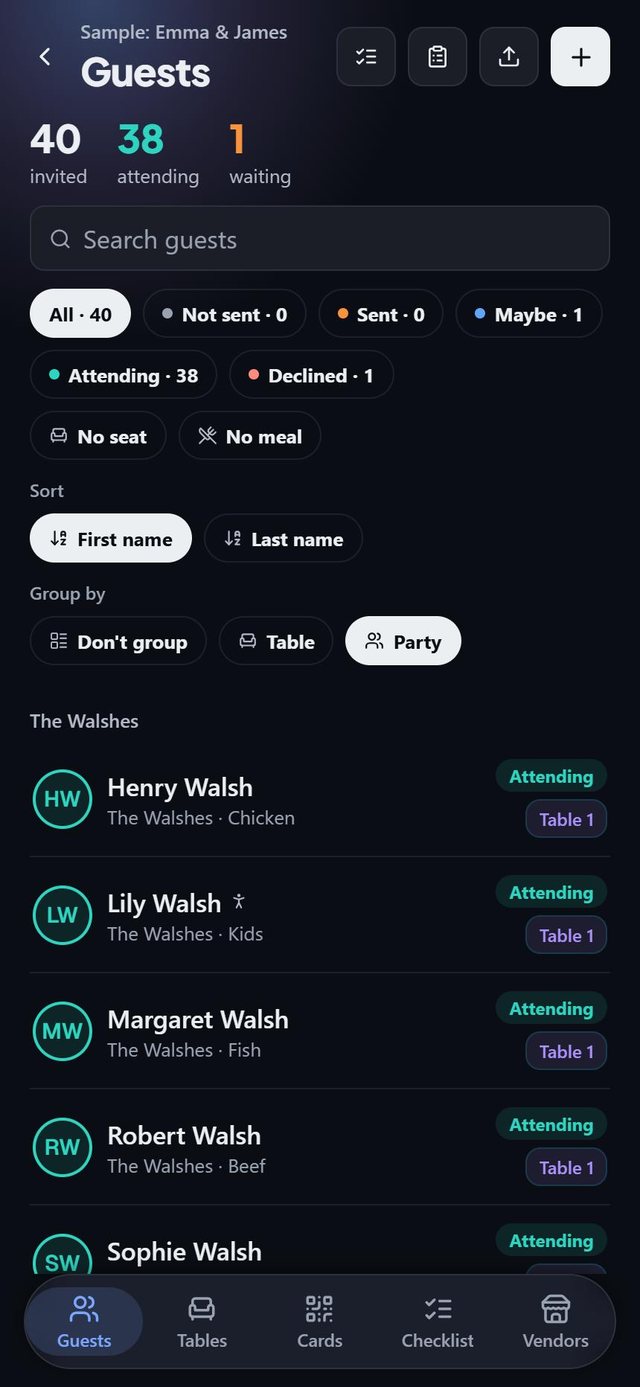
- Give guests the same party name on the guest form, or let Paste a list create families for you.
- Group the guest list by party to see each family at a glance.
- Seat guests. Seats are ringed in the party colour, so groups read at a glance on the floor plan.
- If a family is spread over tables, open the row in Plan check to see who sits where.
Good to know
- Dragging a guest away from their party warns you and names the table where the rest sit.
- Tick Sitting apart is intentional on a party to silence the split report.
- Rename a party once and everyone in it follows. Typing a name another family already has merges the two, and undo is available.
- At company events and official receptions Smart fill deliberately spreads groups and plan check never raises splits.
- A party disappears when its last member is deleted.
Common questions
How does SeatSpot keep a family together?
At weddings and similar events Smart fill seats the largest groups first, into the smallest table that fits all of them.
What if a family is too big for one table?
It splits and says so in the result bar, for example 1 party split. Plan check lists the split too.
Can I rename a family?
Yes. Edit the name at the top of any party and everyone in it is renamed.