
Round, rectangle, square, oval and U-shaped tables
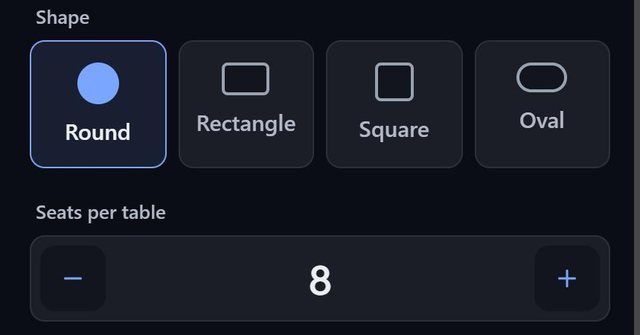
SeatSpot offers six table shapes: round, rectangle, square, oval, U-shape and a single chair. Each has its own name, number of seats, size, rotation and colour.
- Where in the app
- Tables tab, tap a table
- Plan
- Free plan
- Account
- None needed
- Updated
How it works
- Tap Table to add one and choose a shape.
- Tap the table to open its settings: name and group, shape and colour, number of seats, width and rotation in 15° steps.
- For rectangles, squares and U-shapes, set seats per side, which helps when one long side faces a wall.
- Switch on Lock position so a stray finger cannot nudge the table while you seat guests.
Good to know
- Typical uses: round for 8 to 10, rectangle for family style, square for a compact 4 to 8, oval for an elegant 6 to 8, U-shape for a head table and chair for a single seat.
- A centerpiece flag and a group name, such as Family or VIP, are available on every table.
- Unseat empties a table without deleting it, and Fill seats only that table's free chairs.
- The name you give a table is the name on escort cards and table signs.
- Only tables count toward the free plan's table limit. Areas and labels do not.
Common questions
Can I have different table sizes in one room?
Yes. Every table has its own shape and number of seats.
What is the Chair shape for?
A single seat, for example at the end of a head table or somewhere away from the tables.
How do I redo one table without touching the rest?
Open the table, tap Unseat, then Fill. Neither asks for confirmation and both can be undone.