
Set your venue size in feet or metres, and pick a floor colour
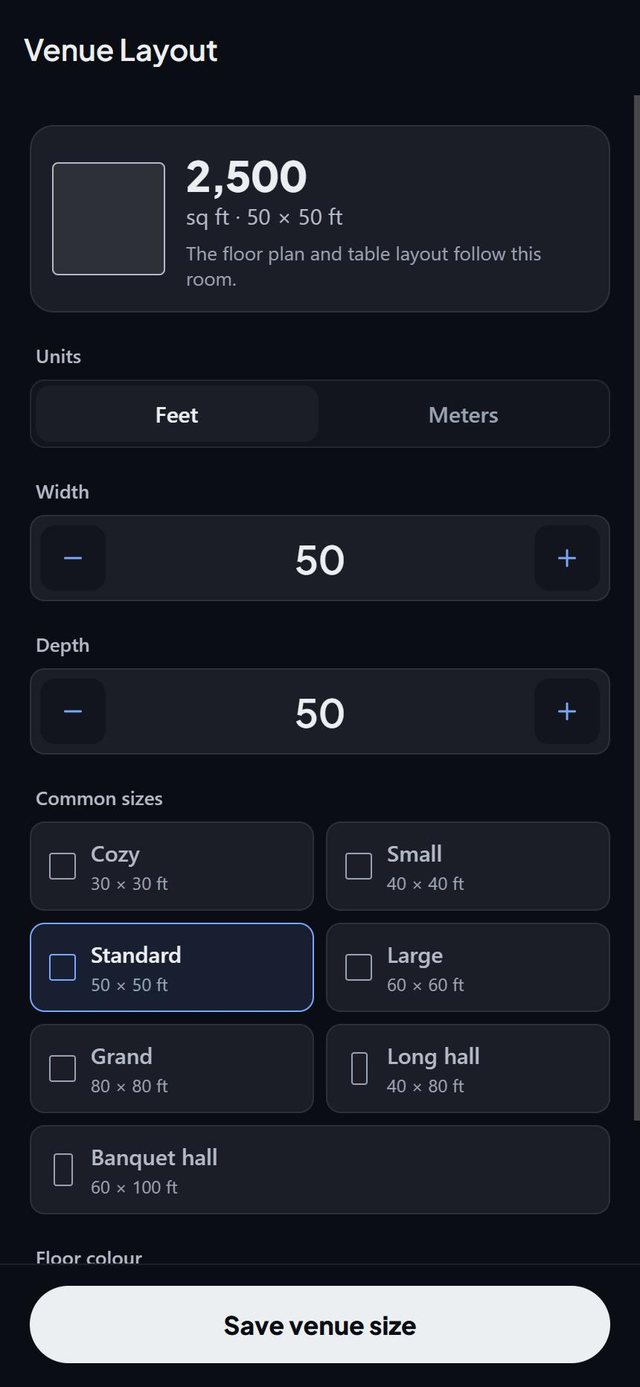
The Room screen in SeatSpot sets the size of your venue in feet or metres, draws it to scale as you tap and lets you wash the floor in one of ten colours, so the plan looks like the room it describes.
- Where in the app
- Tables tab, Room
- Plan
- Free plan
- Account
- None needed
- Updated
How it works
- Open Room on the Tables tab.
- Pick the units first, feet or metres, because they decide what the width and depth buttons read.
- Tap the width and depth buttons. The room redraws at once, with its area. Common sizes show a small outline.
- Pick a floor colour: terracotta, sage, dusty blue, lavender, sand, stone, blush, teal, moss, plum, or the plain floor.
Good to know
- The default room is 50 by 50 feet. Measurements are stored in feet and only the display changes.
- In metres the buttons step in whole metres.
- The size is written along the top and left walls.
- Making the venue smaller can leave a table or area outside, and plan check reports it.
- Duplicating an event copies the venue size and floor colour, but not the guests.
- Room size and floor colour are part of the free plan.
Common questions
Can I use metres?
Yes. Switch the units on the Room screen and everything displays in metres.
Can I reuse a room for another event?
Yes. Duplicate copies the venue size, floor colour, tables, areas and notes, but not the guests.
What if my tables do not fit?
Table setup enlarges the depth and tells you the new size. Correct it on the Room screen if your hall really is that size.