Holiday party seating chart for office and team dinners
At an office holiday party the goal is usually the opposite of a wedding: people should meet colleagues they don't sit next to all year. Create the event as a Company event and SeatSpot's Smart fill spreads each group across as many tables as it can, so a department ends up mixed into the room instead of in one corner.
Mixing departments
Put each team in a party: "Finance", "Sales", "Warehouse". At a company event, Smart fill seats the members of a party at different tables. Before it runs, the app says which seating style it is about to use, and when it finishes it tells you anything it had to give up.
Two people who should not share a table go in Do not seat with. Mixing groups never overrides that.
Speakers, staff and guests from outside
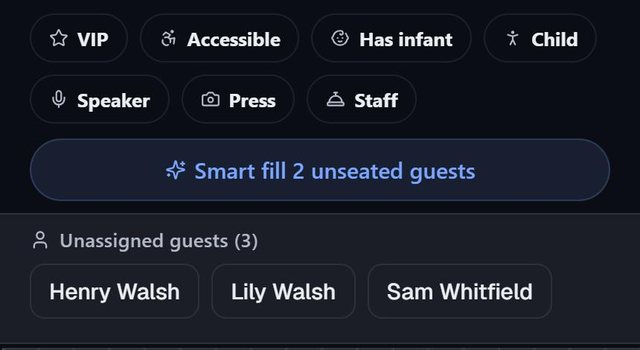
At a company event the tags are listed in a different order, with Speaker, Staff and Press first.
- Speaker marks whoever gives the toast or hands out awards. Draw the Stage / DJ with the Area tool and Smart fill prefers a table near it for them.
- Staff and Press carry no seating rule. Use them to find and count people with the filter on the floor plan.
- Accessible asks for a table near the Entrance and away from the Dance floor.
Tags never print on escort cards or the welcome board.
The room
Table setup has room templates with a small sketch each. Conference builds ovals of 8, Cocktail small rounds of 4 for a standing reception, and Banquet rounds of 8 with a head table. Then add the Bar, Buffet and Registration areas where they will stand. For a quick count, the table calculator shows how many tables your headcount needs.
Escort cards with a QR code
At a company party, people arrive in a stream and look for their names. Escort cards print four to a Letter page, and the optional QR code on each one opens a small map with the guest's table and the Entrance you drew. The Seating by table sheet gives reception staff every table with the names at it.
If the party happens every year, Duplicate copies the event and its room, and the Business checklist covers the planning steps.
Questions people ask
Can SeatSpot keep a team together instead?
Yes. Choose Other as the event type and Smart fill keeps each party at one table, largest first. You can also seat a group at a table by hand.
How many guests can I plan?
With an event pass ($19.99 once for one event) or Pro there is no table or guest limit. The free plan holds one table of 8 guests.
Can several organizers work on it?
The plan lives on one phone. You can export the guest list as a CSV or the seating as a PDF to share with colleagues.
Does it work offline at the venue?
Yes. Everything in SeatSpot works offline.