Corporate event seating chart and company dinner seating plan
A company dinner has a different goal from a family party: people from different teams should meet. SeatSpot is a seating chart app for iPhone and Android that, at a company event, spreads each group across tables instead of keeping it together.
Departments spread on purpose
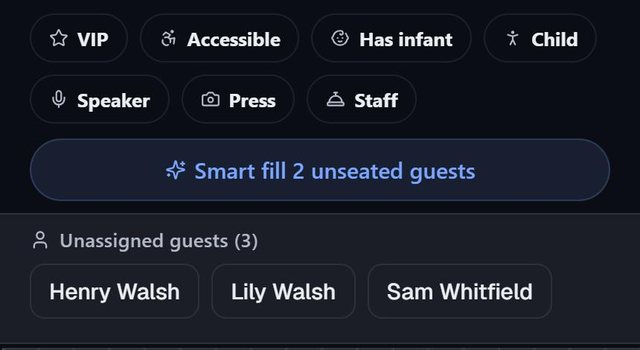
Put each department, office or client group in a party. Then run Smart fill on the Tables tab. At a company event or official reception, it spreads each group across as many tables as it can, and its summary reads groups mixed across tables rather than reporting a split. Plan check does not flag split groups at these events, so you do not get a warning row for every team.
You do not set this anywhere. It follows the event type, and the question Smart fill asks before it runs says which behavior you are getting. If you want a team seated together, open a table and use Seat a group at a table, or drag people by hand.
Importing the attendee list
Attendee lists usually come from a spreadsheet. On the import screen, select the rows in Google Sheets or Excel, copy and paste; commas, tabs and semicolons are all understood. A single Name or Full Name column is split into first and last names. The screen walks you through Paste your list, Match the columns and Check and import, with problem rows called out first. Keep in mind that a second import replaces the whole list, and Undo is there straight afterwards.
Speakers, staff and the stage
A company event puts the Speaker, Staff and Press tags first. Tag your presenters as Speaker, draw a Stage with the Area tool, and Smart fill places them at a table near it. Areas for a company event lead with the stage, registration, buffet and entrance.
The Conference template in Table setup builds ovals of 8. Each table can also carry a group name, such as "Leadership", which you see on the plan but which stays off the printed table sign. On the Seating by table sheet, tags print in capitals above each guest's note, so catering and venue staff know which seat is which.
On the night: the door list
Guest report → On the day → Door list is for whoever stands at the entrance. Type part of a first or last name and every match appears in large letters with Table 4 · seat 3, No seat yet or Not coming. It needs no connection and keeps the screen on while open. It only looks people up; it does not record who has arrived.
For the room itself, the Welcome board prints names alphabetically with each person's table. This comparison explains when an alphabetical board works better than one sorted by table.
Questions people ask
Can I reuse last year's company dinner layout?
Yes. Duplicate in the event's ··· menu copies the room, tables, zones, meal questions and checklist, without the guests, the date or the ticked tasks.
Which checklist do I get for a business event?
Company events and official receptions share the Business checklist template, built on a common core of guest list, replies, table shapes and the day-of timeline.
What does it cost for several events a year?
Pro covers every event: $9.99 a month or $59.99 a year. For a single event, an event pass is $19.99 once.
Does the attendee list leave the phone?
No. There is no account, and the guest list stays on the device. Save a backup file to keep a copy elsewhere or move the plan to another phone.